
Open any busy SQL Server instance during peak hours, and you'll likely see deadlocks bubbling in the monitoring dashboard. Studies of large-scale systems show database deadlocks interrupt 0.1 – 1% of all transactions in production environments.
Database deadlocks occur when two or more transactions are permanently blocked, each waiting for a resource that the other transaction holds. They roll back work that users thought was safely saved, forcing the engine to redo it later through automatic retries or angry ticket storms.
Each rollback translates into failed API calls, user-facing errors, and debugging sessions that can swallow entire engineering sprints.
This guide zeroes in on five concrete deadlock patterns encountered most often in high-concurrency applications: everything from reader-writer clashes on hot rows to schema changes that collide with long-running analytics.
For every scenario, you'll get the minimal T-SQL reproducer, an Extended Events snippet you can use to capture the deadlock graph, and battle-tested fixes that work under real-world load.
1. Reader-writer clash on a hot row
This is the deadlock that kills most production deployments. Multiple sessions are competing for the same heavily accessed row, each trying to read-then-update, creating a textbook circular wait.
The scenario: one transaction reads a record with REPEATABLE READ or SERIALIZABLE isolation, holding a shared lock while planning an update. Maybe it's checking inventory before decrementing stock.
Meanwhile, another session directly updates that same row, acquiring an exclusive lock for its own inventory change.
Now the first session requests an exclusive lock to proceed with its update, but can't get it because the second session owns it. The second session needs the first session's shared lock to clear, but that lock persists until commit.
Neither can advance. SQL Server's lock monitor wakes up after a few seconds, calculates which transaction costs less to roll back, and terminates it.
Here's how the conflict materializes in code patterns I've debugged dozens of times:
/* Session 1 */
BEGIN TRAN;
SELECT * FROM dbo.Products WITH (HOLDLOCK) WHERE ProductID = 42;  -- shared lock held
-- Maybe some business logic happens here
UPDATE dbo.Products SET Stock = Stock - 1 WHERE ProductID = 42;   -- requests exclusive
-- COMMIT happens later

/* Session 2 runs concurrently */
BEGIN TRAN;
UPDATE dbo.Products SET Stock = Stock + 1 WHERE ProductID = 42;   -- owns exclusive, blocked by shared
COMMIT;
I've watched this exact pattern kill checkout transactions during Black Friday sales. The problem scales with traffic; at low volume, timing rarely aligns to cause a deadlock. At peak load, it's constant.
Capturing the evidence
The default system_health Extended Events session automatically captures xml_deadlock_report events, requiring no additional configuration. Query it directly in SQL Server Management Studio, or create a custom session filter for specific object IDs if you want to focus on a single table.
The deadlock graph will show two processes, each holding a KEY lock with mode="S" or mode="X", each waiting for the other's resource. That's your confirmation: reader-writer clash, classic pattern.
The fix that works
Two approaches consistently eliminate this pattern, and I've deployed both in production systems.
First, acquire an update lock immediately with WITH (UPDLOCK, ROWLOCK), so the reading transaction never holds a shared lock that blocks writers:
BEGIN TRAN;
SELECT * FROM dbo.Products WITH (UPDLOCK, ROWLOCK) WHERE ProductID = 42;
UPDATE dbo.Products SET Stock = Stock - 1 WHERE ProductID = 42;
COMMIT;
The UPDLOCK hint tells SQL Server, "I'm reading this now, but I'm going to update it soon." Other readers can still see the row, but other updaters will wait. This breaks the circular wait because you never hold a shared lock that conflicts with exclusive locks.
Second, enable row versioning with READ_COMMITTED_SNAPSHOT isolation. Readers access row versions rather than requesting locks, eliminating the conflict:
ALTER DATABASE YourDatabase SET READ_COMMITTED_SNAPSHOT ON;
I prefer the row versioning approach when possible because it fixes the pattern system-wide without requiring code changes. The tradeoff: you use more tempdb for version storage, and readers might see slightly stale data if another transaction is in the middle of a commit. For most OLTP workloads, this is acceptable.
Also, keep transactions short and ensure that every stored procedure accesses tables in the same order. That discipline, combined with row versioning when business logic allows, converts daily crises into non-events.
2. Cascading foreign-key delete deadlock
This one burned me badly at a SaaS company. We had a nightly purge script that sailed through QA but started rolling back hundreds of transactions the moment it hit production traffic. Took me some days to figure out the culprit: cascading foreign key deletes colliding with concurrent updates.
Here's what happens: when you issue a DELETE on the parent table, SQL Server takes exclusive locks on each affected row, then walks the foreign key relationship to delete children. Sounds fine. The problem emerges when an OLTP session is simultaneously updating a child row.
That OLTP update holds an intent-exclusive lock on the child row and requests an exclusive lock on the parent's primary key to maintain referential integrity.
Result: textbook circular wait. Parent deletes requests child lock, child update requests parent lock. SQL Server terminates whichever statement is least expensive to roll back, and suddenly your carefully crafted data purge fails.
Here's the schema setup that I’ve seen cause this:
-- Schema with ON DELETE CASCADE
CREATE TABLE dbo.Parent (ParentID int PRIMARY KEY);
CREATE TABLE dbo.Child
(ChildID int PRIMARY KEY,
 ParentID int NOT NULL REFERENCES dbo.Parent(ParentID) ON DELETE CASCADE);

/* Session 1: bulk cleanup */
BEGIN TRAN;
DELETE FROM dbo.Parent WHERE ParentID = 42;
-- holds exclusive on Parent, requests exclusive on Child

/* Session 2: concurrent update */
BEGIN TRAN;
UPDATE dbo.Child SET ChildID = ChildID WHERE ParentID = 42;
-- holds intent-exclusive on Child, requests exclusive on Parent
The frustrating part? This works perfectly in development because you never have concurrent sessions. The deadlock only manifests under production load when deletes and updates overlap. That's why it passes QA and dies in production.
Immediate relief
When you're firefighting this live, you have two quick options.
First, temporarily turn off the cascade and delete children explicitly before parents:
BEGIN TRAN;
DELETE FROM dbo.Child WHERE ParentID = 42;
DELETE FROM dbo.Parent WHERE ParentID = 42;
COMMIT;
This gives you explicit control over locking order, preventing the circular wait.
The downside: you lose referential integrity enforcement during the delete, so you need to be confident in your deletion logic.
Second option: delete in small batches to minimize lock duration:
WHILE EXISTS (SELECT 1 FROM dbo.Parent WHERE ParentID < 1000)
BEGIN
    DELETE TOP (5000) FROM dbo.Parent
    WHERE ParentID < 1000
    ORDER BY ParentID;  -- Consistent lock order

    WAITFOR DELAY '00:00:01';  -- Brief pause
END
Small batches mean shorter transaction durations, reducing the likelihood of concurrent updates conflicting. The brief pause gives other transactions time to commit.
Long-term solutions
For permanent fixes, I've found three approaches that work well. Run your purges during low-traffic windows if possible, for instance, 2 AM maintenance jobs rarely deadlock with anything.
Add indexes on the child's foreign key column to accelerate cascade walks. SQL Server can find and lock child rows faster, reducing the conflict window. Or reconsider your normalization if high-volume deletes are business-critical.
In a previous project, we moved from cascade deletes to an async cleanup queue. Instead of ON DELETE CASCADE, we set ON DELETE RESTRICT and built a background job that processed orphaned records in controlled batches.
Slower cleanup, but zero production deadlocks. That tradeoff was worth it.
3. Index key-order inversion deadlock
This deadlock pattern is particularly maddening because it violates your intuition about isolation. Two reports running simultaneously, filtering on completely different data (disjoint customers, non-overlapping dates), yet they deadlock.
How is that even possible?
I once spent a week debugging this. We had Report A pulling customer 42's data and Report B pulling customer 87's data. They never touched the same rows. Yet during month-end processing, when both ran concurrently, one would randomly die with a deadlock error.
The deadlock graph showed they were fighting over the same composite index, but on entirely different key ranges.
The root cause: both queries used SERIALIZABLE isolation (required for regulatory compliance), and both scanned a composite index in opposite directions. SQL Server locks key ranges to prevent phantom reads, and when two sessions scan the same index in reverse order, those range locks form a circular wait.
The problematic pattern
Here's the problematic pattern:
-- Procedure A: seeks CustomerID first, then OrderDate
BEGIN TRAN;
SET TRANSACTION ISOLATION LEVEL SERIALIZABLE;
SELECT * FROM dbo.Sales WITH (INDEX(ix_customer_date))
WHERE CustomerID = 42 AND OrderDate >= '2024-01-01';
COMMIT;

-- Procedure B: seeks OrderDate first, then CustomerID
BEGIN TRAN;
SET TRANSACTION ISOLATION LEVEL SERIALIZABLE;
SELECT * FROM dbo.Sales WITH (INDEX(ix_customer_date))
WHERE OrderDate >= '2024-01-01' AND CustomerID = 42;
COMMIT;
Both sessions acquire range locks on the composite index (CustomerID, OrderDate), but in opposing sequences.
Session A locks customer 42's range first, then narrows to date ranges.
Session B locks date ranges first, then narrows to customers. When their lock acquisitions overlap temporally, you get a circular wait.
SQL Server's lock monitor detects the cycle after a few seconds and picks a victim. The deadlock appears random because it's timing-dependent — slightly different execution speeds mean the sessions might not overlap, or they might overlap perfectly and deadlock.
Confirming the pattern
Examine the deadlock graph for two KEY locks on the same index with differing range specifications. You'll see mode="RangeS-S" or similar range lock modes, and the key values will reveal the inversion.
One process locked [42, '2024-01-01'] to [42, MAX], while the other locked ['2024-01-01', MIN] to ['2024-01-01', MAX] first.
The giveaway: the index and table names are identical, but the locked key ranges show different access orders.
The permanent fix
From my experience, you can resolve this in three different ways across different systems.
First option: create a second composite index matching the alternate predicate order:
-- Original index
CREATE INDEX ix_customer_date ON dbo.Sales(CustomerID, OrderDate);

-- New index for the reversed access pattern
CREATE INDEX ix_date_customer ON dbo.Sales(OrderDate, CustomerID);
Now both queries can seek in their natural order without range scans, eliminating the lock inversion.
The cost: additional storage and write overhead for maintaining two indexes. Usually worth it for critical reports.
Second option: add an INDEX hint or use Query Store plan forcing so every code path follows the same access pattern:
SELECT * FROM dbo.Sales WITH (INDEX(ix_customer_date))
WHERE CustomerID = 42 AND OrderDate >= '2024-01-01'
ORDER BY CustomerID, OrderDate;  -- Explicit ordering
Third option: standardize predicate order in all stored procedures.
Make it a code review rule: "Always filter CustomerID before OrderDate when querying Sales." Enforce it through static analysis or linting. This prevents the inversion at the source.
For long-term prevention, extend indexes with INCLUDE columns to eliminate range scans. If your index covers all selected columns, SQL Server can use seeks instead of scans, dramatically reducing lock ranges.
And adopt coding standards ensuring consistent resource access — even SERIALIZABLE workloads can remain stable if everyone accesses data in the same order.
4. Range scan vs. gap insert under serializable isolation
Month-end reporting colliding with transactional inserts is a story I've lived through more than once. The setup is always the same: a SERIALIZABLE transaction scans a date range for analysis (say, all May orders), holding range locks to prevent phantom reads.
Simultaneously, the OLTP layer tries to insert a new order with a May date, requesting a gap lock inside that range.
Your report holds RANGE_S_S (shared range lock), the insert wants RangeX-X (exclusive range lock for the gap), and neither can proceed. SQL Server's lock monitor steps in after a few seconds, terminating one session to break the cycle.
Usually, it picks the insert as the victim because it's cheaper to roll back, which means your users see failed order creations. Not great.
Here's how the conflict materializes:
/* Session 1: month-end reporting */
SET TRANSACTION ISOLATION LEVEL SERIALIZABLE;
BEGIN TRAN;
SELECT * FROM Orders WHERE OrderDate BETWEEN '2024-05-01' AND '2024-05-31';
-- Long scan holds range lock until COMMIT
-- Maybe this takes 30 seconds to aggregate data

/* Session 2: OLTP insert */
BEGIN TRAN;
INSERT INTO Orders (OrderDate, CustomerId, Total)
VALUES ('2024-05-15', 987, 49.95);
-- Tries to acquire gap lock, blocked by Session 1's range lock
COMMIT;
I've seen this impact e-commerce checkout flows during quarterly reporting windows. The report takes 2-3 minutes to complete, and during that window, every insert into the scanned date range deadlocks or times out.
User complaints spike, revenue drops, and nobody connects it to the analytics job running in the background.
Breaking the pattern
The cleanest fix is to shift one side of the workload to row-versioning isolation.
You should enable READ_COMMITTED_SNAPSHOT or SNAPSHOT isolation for reads:
-- At database level (affects all queries)
ALTER DATABASE YourDatabase SET READ_COMMITTED_SNAPSHOT ON;

-- Or per-query for reports
SET TRANSACTION ISOLATION LEVEL SNAPSHOT;
BEGIN TRAN;
SELECT * FROM Orders WHERE OrderDate BETWEEN '2024-05-01' AND '2024-05-31';
COMMIT;
With row versioning, readers access point-in-time snapshots instead of acquiring locks. Inserts can proceed without conflict.
The tradeoff: reports might miss very recent inserts that were committed after the snapshot began. For month-end reports analyzing historical data, this is usually acceptable.
Second approach: break long scans into smaller chunks that commit frequently:
DECLARE @batch_start DATE = '2024-05-01';
DECLARE @batch_end DATE;

WHILE @batch_start <= '2024-05-31'
BEGIN
    SET @batch_end = DATEADD(DAY, 1, @batch_start);

    BEGIN TRAN;
    SELECT * INTO #temp FROM Orders
    WHERE OrderDate >= @batch_start AND OrderDate < @batch_end;
    COMMIT;

    -- Process #temp

    SET @batch_start = @batch_end;
END
Each batch holds locks for maybe 2-3 seconds instead of 2-3 minutes, reducing the conflict window. Inserts can sneak in between batches.
Third option: push heavy analytics to a read replica during scheduled windows. Keep your primary database for OLTP workloads, and let reports run against a secondary that's lagging by a few seconds.
This physically separates the conflicting workloads, eliminating deadlocks.
I've deployed all three approaches depending on business requirements.
For real-time reporting that requires SERIALIZABLE guarantees, use smaller chunks with an explicit locking order. For historical analysis where slight staleness is acceptable, row versioning every time. For massive analytical workloads, dedicated read replicas.
Pick the tradeoff that matches your SLA.
5. Self-deadlock in queue processing table
I learned about this pattern the hard way while scaling a background job system. We had a single WorkQueue table processing async tasks, and initially, it worked great with one worker. Then we scaled to 10 concurrent workers for throughput, and the entire system suddenly ground to a halt due to constant deadlocks. The workers were deadlocking with themselves.
Here's the setup: each worker dequeues with SELECT ... WITH (READPAST, ROWLOCK) to skip locked rows, then immediately updates the same row to mark it as processing. When two workers land on adjacent rows on the same page, SQL Server can escalate their row locks to the page level to save memory.
Once that happens, each worker holds a page lock and requests another worker's page lock. Circular wait, deadlock, rollback.
The pattern that causes this appears innocent:
BEGIN TRAN;
WITH cte AS (
  SELECT TOP (1) id FROM dbo.WorkQueue
  WITH (ROWLOCK, READPAST)
  ORDER BY id
)
UPDATE dbo.WorkQueue SET status = 'processing'
FROM cte WHERE WorkQueue.id = cte.id;
COMMIT;
At low concurrency, this works fine. At 10+ workers dequeuing simultaneously, lock escalation kicks in and creates chaos.
The deadlock graph shows multiple processes on the same table, each holding PAGE locks and requesting other PAGE locks. You'll see resource_type="PAGE" with different page IDs, but all on the same WorkQueue table.
That's your confirmation: workers are colliding on pages.
The row versioning fix
Your quick relief comes from enabling READ_COMMITTED_SNAPSHOT at the database level:
ALTER DATABASE YourDatabase SET READ_COMMITTED_SNAPSHOT ON;
This allows the initial SELECT to read a row version and releases shared locks immediately, removing the reader-writer clash. Workers can dequeue without holding any locks during the SELECT phase, only acquiring exclusive locks during the UPDATE. Massively reduces contention.
The default system_health Extended Events session records every xml_deadlock_report, and you can filter by the queue table's object_id to isolate these incidents. The XML clearly shows the lock escalation and circular wait.
Long-term architecture
For production stability, I've found several approaches that work well together.
First, keep transactions extremely short — dequeue, update status, commit, then process the item outside the transaction:
DECLARE @item_id INT;

BEGIN TRAN;
WITH cte AS (
  SELECT TOP (1) id FROM dbo.WorkQueue
  WITH (UPDLOCK, READPAST, ROWLOCK)
  WHERE status = 'pending'
  ORDER BY id
)
UPDATE dbo.WorkQueue
SET status = 'processing', worker_id = @@SPID
OUTPUT inserted.id INTO @item_id
FROM cte WHERE WorkQueue.id = cte.id;
COMMIT;

-- Now process @item_id outside transaction
Second, add a covering index so workers touch as few pages as possible.
If your dequeue logic filters on status and orders by id, create an index on (status, id) INCLUDE (all other columns). This keeps workers on separate index pages, preventing escalation.
Third, standardize the order in which every worker references the queue. Always ORDER BY id ASC, never DESC or NEWID(). Consistent lock ordering breaks the circular wait condition before it starts.
But honestly? For mission-critical message processing, consider migrating to Service Broker or to dedicated queue technology such as RabbitMQ or Azure Service Bus.
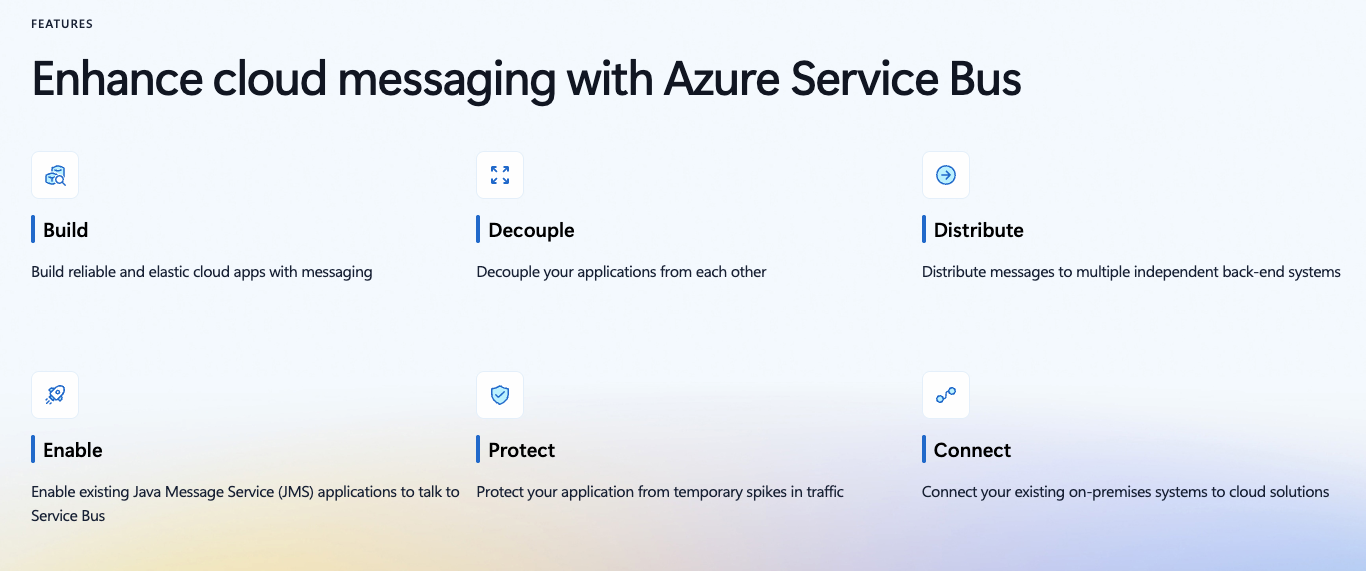
These systems are designed for high-concurrency dequeuing with proper isolation. I've migrated three systems away from table-based queues, and in every case, the specialized queue technology handled contention better than we could with clever SQL.
The table-based queue seems simple at first, but scaling it reliably requires more engineering effort than just using purpose-built queue infrastructure.
Contribute to AGI development at DataAnnotation
The systems thinking that helps you build production systems is the same thinking that shapes frontier AI models. At DataAnnotation, we operate one of the world's largest AI training marketplaces, connecting exceptional thinkers with the critical work of teaching models to reason rather than memorize.
If your background includes technical expertise, domain knowledge, or the critical thinking to evaluate complex trade-offs, AI training at DataAnnotation positions you at the frontier of AGI development.
Our coding projects start at $40+ per hour, with compensation reflecting the judgment required. Your evaluation judgments on code quality, algorithmic elegance, and edge case handling directly influence whether training runs advance model reasoning or optimize for the wrong objectives.
Over 100,000 remote workers have contributed to this infrastructure.
If you want in, getting from interested to earning takes five straightforward steps:
- Visit the DataAnnotation application page and click "Apply"
- Fill out the brief form with your background and availability
- Complete the Starter Assessment, which tests your critical thinking and coding skills
- Check your inbox for the approval decision (typically within a few days)
- Log in to your dashboard, choose your first project, and start earning
No signup fees. DataAnnotation stays selective to maintain quality standards. You can only take the Starter Assessment once, so read the instructions carefully and review before submitting.
Apply to DataAnnotation if you understand why quality beats volume in advancing frontier AI — and you have the expertise to contribute.
.jpeg)